· Emmanuel ADEKPLOVI · TUTORIALS · 5 min read
How to Set Up Discord Notifications for Dokploy Deployments and Server Events?
In this tutorial, we will see how to configure Discord notifications in Dokploy so your development or DevOps team can be notified when important actions happen on your infrastructure.
In this tutorial, we will see how to configure Discord notifications in Dokploy so your development or DevOps team can be notified when important actions happen on your infrastructure.
Whether you are running Dokploy on your own VPS, a dedicated server, or another infrastructure environment, receiving deployment and infrastructure notifications can make it much easier to monitor what is happening without constantly opening the Dokploy dashboard.
Dokploy currently supports several notification providers, including Discord, Slack, Telegram, Email, Microsoft Teams, Lark, and generic webhooks.
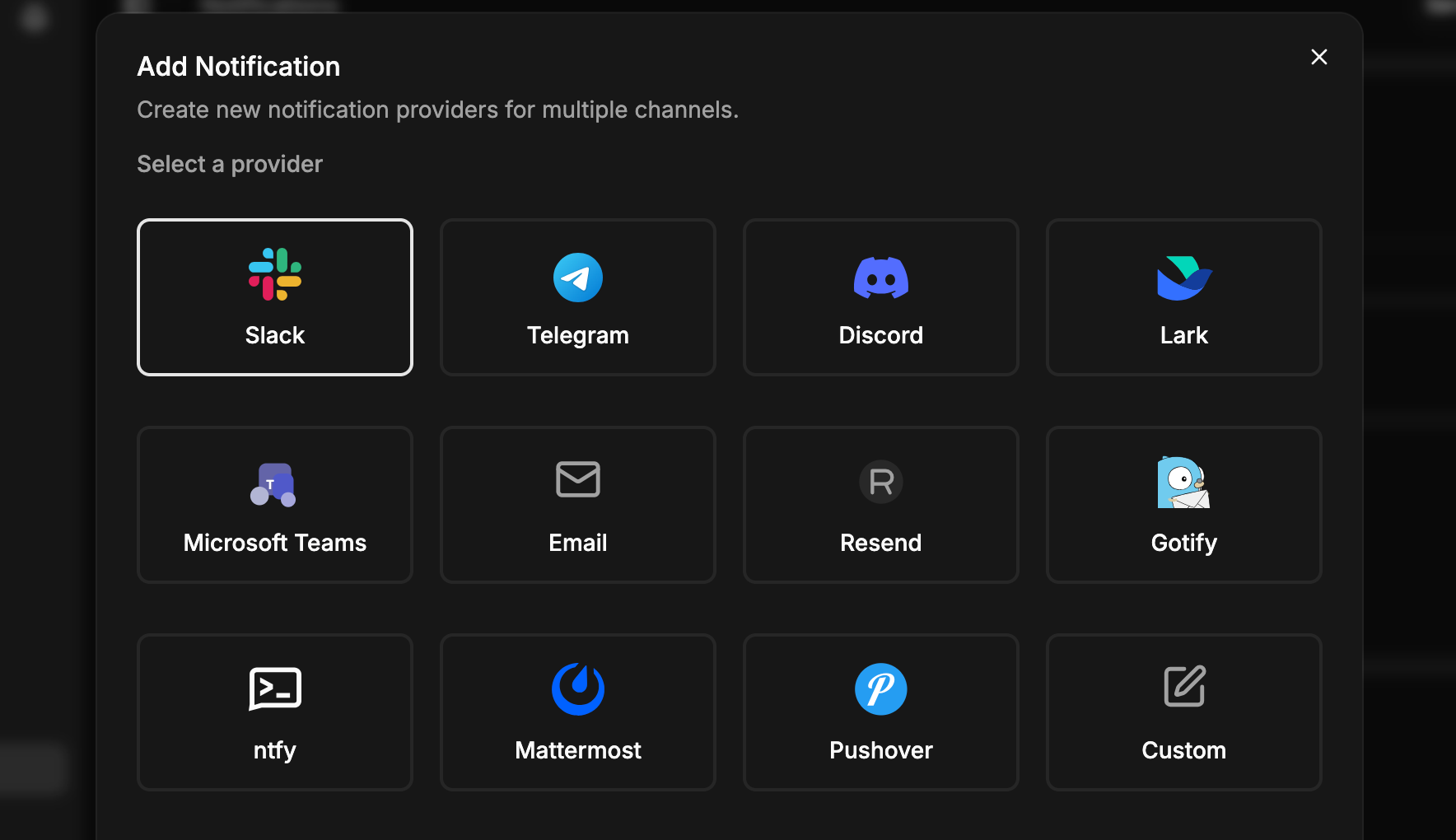
You can also choose which events should generate notifications, such as deployments, build errors, backups, Docker cleanup, and Dokploy restarts.
Why should you use Dokploy notifications?
For developers and DevOps teams, deployments are not always instantaneous.
You may push a new version of an application and have to wait for Docker images to be built, containers to restart, and services to become available. During development, this can become even more noticeable when your applications require significant CPU or memory resources.
For example, you might have a development machine with 8 GB, 16 GB, or even 32 GB of RAM. Your production VPS, however, may have considerably fewer resources.
A large Node.js, Java, Java-based, or otherwise resource-intensive project can consume a significant amount of memory during the build process. In some situations, this can result in an out-of-memory (OOM) condition, causing the build or application to fail.
One approach is to move the build process away from the production server.
Instead of building everything directly on your VPS, you can use your repository’s CI/CD system, such as:
- GitLab CI/CD
- GitHub Actions
- Gitea Actions
- Google Cloud Build
- Other cloud-based build platforms
The resulting Docker image can then be deployed to your production server.
This approach can reduce the amount of work your production server has to perform during deployment and allows the server to focus primarily on running your applications.
Why build Docker images outside your production server?
Building an image in a dedicated CI/CD environment has another important advantage: faster and more predictable deployments.
Your production server can pull an image that has already been built and tested instead of compiling the entire application every time you deploy.
This also makes it easier to roll back to a previous image if a new release introduces a problem.
For a production environment, this can provide a safer deployment process:
Build → Test → Push image → Deploy → Monitor → Roll back if necessary
The goal is simple: keep your production services available while making deployments easier to monitor and recover from.
Configure Discord notifications in Dokploy
Once your application is deployed, you can configure Discord directly from the Notifications section of your Dokploy dashboard.
First, create a Discord webhook:
- Open your Discord server.
- Go to Server Settings.
- Open Integrations.
- Create a new webhook.
- Give the webhook a name, such as
dokploy. - Copy the generated webhook URL.
Dokploy’s official documentation currently recommends exactly this approach for Discord notifications.
Next, open your Dokploy dashboard:
Notifications → Discord
Enter a name for the notification configuration and paste the Discord webhook URL.
You can then select the events for which you want to receive notifications and use the Test option to verify that the connection is working before saving the configuration.
What can you monitor?
Dokploy allows you to choose which actions should generate notifications.
Depending on your configuration, these can include events such as:
- Application deployments
- Application build errors
- Database backups
- Volume backups
- Docker cleanup operations
- Dokploy restarts
- Server threshold events
This means your Discord channel can become a lightweight operational dashboard for your technical team.
For example, instead of discovering later that a deployment failed, your team can immediately receive a notification in Discord.
This becomes particularly useful when several applications are running on the same server.
Notifications are useful beyond deployments
Monitoring deployment activity is only part of the picture.
Infrastructure problems can happen after a successful deployment. CPU usage can increase unexpectedly, memory can become exhausted, a container can restart, or another infrastructure event can affect your services.
Receiving notifications as soon as important events occur allows your team to react faster.
The objective isn’t simply to receive more alerts. It is to make important operational events visible to the people responsible for maintaining your applications.
Build a more reliable deployment workflow
A good production workflow can combine several technologies:
Git repository → CI/CD build → Docker image → Registry → Dokploy → Production server → Notifications
Your CI/CD platform handles the potentially resource-intensive build process, while Dokploy handles deployment and infrastructure management.
Discord then provides a convenient communication layer for your team.
This separation can be especially useful when running applications on smaller VPS instances where CPU and RAM are limited.
Conclusion
Deploying an application is only one part of running a reliable production environment. Knowing what happened after the deployment is just as important.
By connecting Dokploy to Discord, you can receive notifications about deployments, build failures, backups, restarts, and other important events directly in your team’s communication channel. Dokploy also provides integrations with other notification providers, so you can choose the communication platform that best fits your workflow.
For small teams and individual developers, this is a simple way to improve visibility without introducing a complicated monitoring stack.
We have reached the end of this tutorial. For more articles about DevOps, Docker, cloud infrastructure, application deployment, and web development, check out our other posts.
Need help with your infrastructure or application deployment? You can reach us at HomeScript.